Best Vending Service in Orange County for Businesses
October 21, 2026 · 15 min read
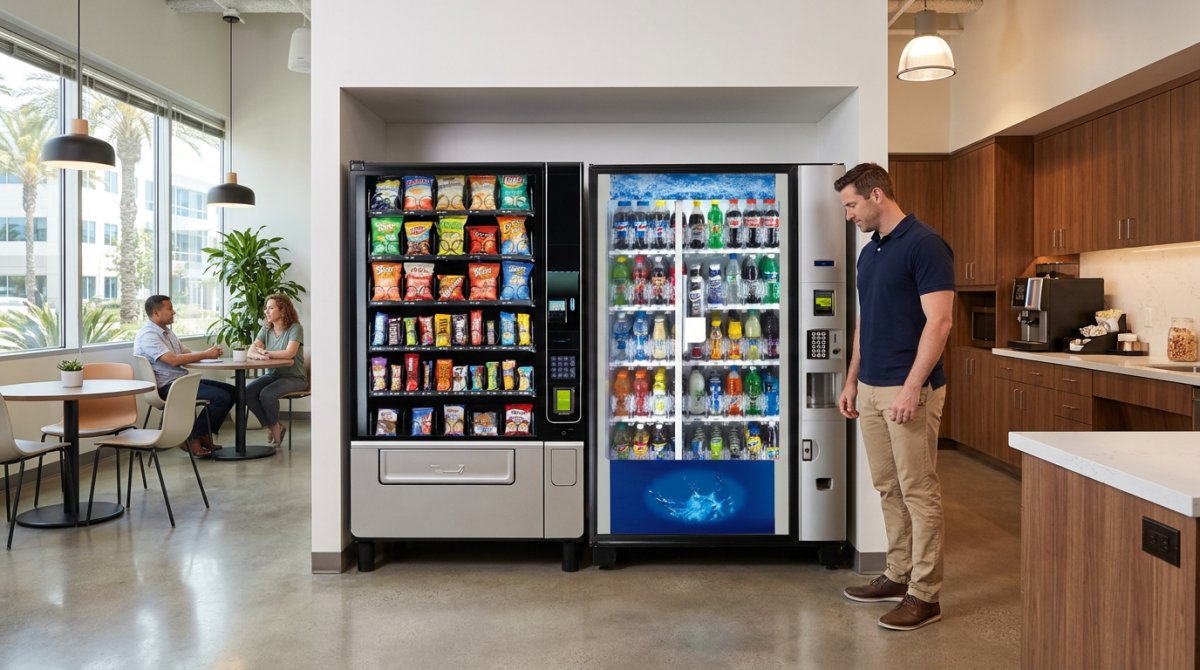
The best vending setup fits the way your workplace runs. A vending service in Orange County can match snack, drink, or combo machines to the needs of an office, warehouse, gym, hotel, or healthcare facility. Modern machines can also support cashless payments and remote monitoring, making purchases and day-to-day oversight simpler.
Choosing a machine is only part of the decision. You also need products employees or visitors will use, a practical setup for your space, and dependable restocking and maintenance that don’t add another task to your team’s workload.
This guide explains how to choose between snack, drink, and combo machines, what cashless payment and remote monitoring do, and what to expect from installation, restocking, and maintenance. You’ll also see how workplace needs shape the setup, so you can make a clear, informed choice.
Key Takeaways
- Match the machine and product mix to your workplace, available space, and the people using it.
- Compare snack, drink, and combo machines to find a setup that suits your site’s needs.
- Understand how cashless payment can make purchases more convenient for employees and visitors.
- Consider how your facility’s daily routines affect restocking and ongoing machine care.
- Explore vending service options for workplaces such as hotels, offices, warehouses, gyms, and hospitals.
Customized product selection and machine setup
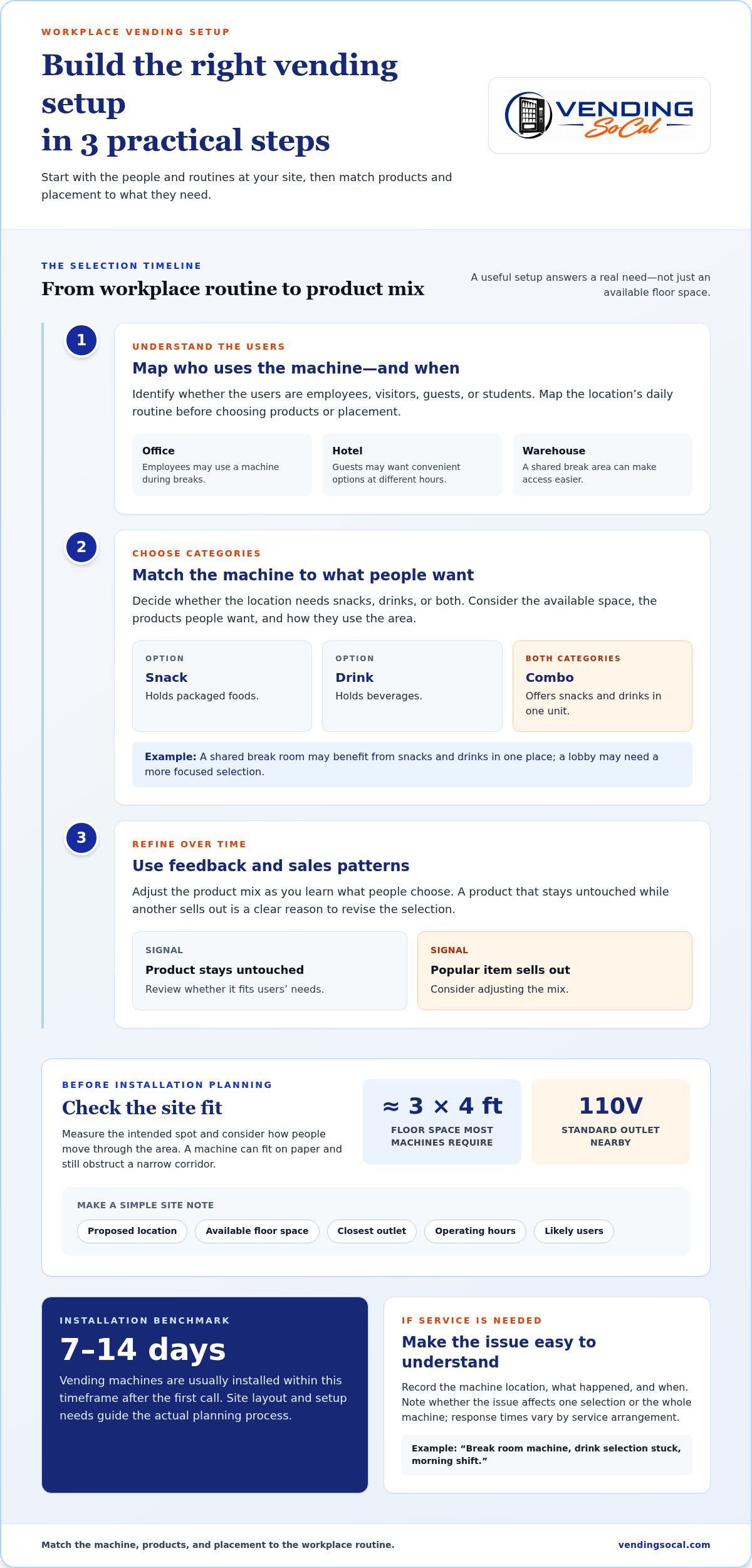
A useful setup starts with the people who will use the machine. Hotel guests may need convenient options at different hours, while office employees may use a machine during breaks. In a warehouse, placement near a shared break area can make access easier. Map the location’s daily routine before choosing products or placement so the setup answers a real need.
Use three steps to shape the product mix:
- Identify users. Note whether employees, visitors, guests, or students will use the machine. An office team may value familiar snacks and drinks, while a hotel lobby may need options for guests arriving throughout the day.
- Choose categories. Decide whether the location needs snacks, drinks, or both. A combo machine can serve more than one category in a shared area.
- Refine the selection. Use feedback and sales patterns to adjust products over time. If a product stays untouched while another sells out, that is a clear reason to revise the mix.
Space and power also shape setup. Most vending machines require roughly 3×4 feet of floor space and a standard 110V outlet nearby. Measure the intended spot, account for the path people use, and identify the closest outlet before installation planning. A machine placed in a narrow corridor can obstruct movement, even if it fits on paper.
Installation timing has a practical benchmark: vending machines are usually installed within 7-14 days of the first call. One customer testimonial reports installation within 10 days. The initial inquiry form takes about 60 seconds to complete. These figures help set expectations, while the site’s layout and setup needs guide the actual planning process.
Before installation, note the proposed location, available floor space, outlet position, operating hours, and likely users. For example, a break room near a warehouse shift area may call for different products than a reception area used by visiting customers. A clear plan connects the machine, product selection, and workplace routine.
Customer service also depends on clear issue details. If a machine stops working or a product gets stuck, record its location, the problem, and the time it occurred. For example, “break room machine, drink selection stuck, morning shift” gives a service team useful context. Response times vary by service arrangement, so keep the issue report specific and note whether the problem affects one selection or the whole machine. That distinction helps direct attention to the right repair or restocking task.
Snack, drink, combo, and specialty vending machines
Machine type affects what people can buy and how products are arranged. Modern vending machines can support cashless payments and remote monitoring.
Snack, Drink, and Combo Machines
A snack machine holds packaged foods, a drink machine holds beverages, and a combo machine offers both in one unit. Compare the available space, the products people want, and how they use the area. A shared break room may benefit from snacks and drinks in one place, while a lobby may need a more focused selection.
Specialty Machine Options
Start by identifying what users expect to find, then decide whether a dedicated machine serves that need better than a general snack or drink selection. In a focused setting, make sure the intended products are easy to recognize and access. The location and its users should guide the product mix.
Payment options affect how convenient a machine is to use. Depending on the machine, customers can pay with cash, credit or debit cards, Apple Pay, Google Pay, or tap-to-pay. If visitors may not carry cash, consider a machine with a suitable cashless option. Choose based on the people who will use it, whether employees on a break or guests passing through a lobby.
Remote monitoring and inventory tracking are related, but they are not the same. Remote monitoring provides information about a machine without requiring someone to inspect it in person. Inventory tracking focuses on the products inside. Together, these functions can help identify when a machine needs attention or popular items are running low. The information available depends on the system, so distinguish machine status from product-level stock visibility.
Compare options by deciding on three things: product category, payment method, and monitoring needs. For example, a site considering a combo machine can decide whether it needs both snacks and drinks, which payment methods suit its users, and what information staff need. These decisions clarify what the machine should do and help separate useful features from unnecessary ones.
In Orange County, consider the products and how they are handled when reviewing which local requirements may apply. Packaged snacks, sealed drinks, and temperature-sensitive foods may involve different considerations.
Before choosing a machine, list the products it should hold, the payment options users need, and the information staff need to manage it. A clear list helps match the machine to the workplace without adding features that do not serve its users.
Cashless payment options
Cashless payment lets employees and visitors pay without inserting coins or bills. A reader processes the electronic payment before the machine releases the selected item, making a quick purchase, such as grabbing a drink during a short break, more convenient. The right payment setup depends on what users carry and how they move through the workplace.
Cashless readers can support different payment methods, such as contactless cards or mobile wallets. These are examples of possible methods, not features to assume on every machine. A useful evaluation starts by matching the reader to likely users. Employees who keep a payment card nearby may prefer tapping it, while visitors may reach for a phone. Clear instructions beside the reader help people understand how to begin.
For a workplace, consider the purchase flow from the user’s perspective. A person selects a snack or drink, follows the reader’s prompt, and waits for the machine to dispense the item. A visible payment indicator can make the steps easier to follow. If a transaction doesn’t complete, the machine should make the next action clear, rather than leaving the user unsure whether to retry.
Cashless options can be useful in shared areas. Office employees may not carry coins during the workday, while hotel guests may prefer to pay by card or phone. Consider each group separately and choose a machine with payment options suited to the people who will use it.
Before choosing a reader, review these practical points:
- User habits: Consider whether employees, guests, or visitors typically carry cards or phones.
- Reader prompts: Look for instructions that make selecting, paying, and collecting an item easy to follow.
- Payment choice: Identify which cashless methods the machine supports, without assuming every reader accepts the same options.
- Issue handling: Make the process clear if a payment appears incomplete or the selected item doesn’t dispense.
Cashless payment and remote monitoring serve different purposes. Payment helps a customer complete a purchase; remote monitoring provides information about the machine from elsewhere. For example, monitoring can help identify a machine that needs attention, while the payment reader processes a customer’s transaction. Keeping these functions distinct makes it easier to assess what the machine should do.
For a smooth rollout, explain the payment steps near the machine and share them with employees before use. A short notice can show where to tap, how to follow the reader’s prompt, and what to do if an item doesn’t dispense. Simple directions reduce confusion at the point of purchase and help people use the machine confidently.
Vending services for offices, warehouses, gyms, hotels, and hospitals
One vending setup won’t suit every workplace. An office, warehouse, gym, hotel, or hospital in Orange County has different users and routines. Start by identifying who will use the machine, where they’ll use it, and which products fit the setting. Those answers guide placement, machine type, and product selection.
Offices: An office break room may serve employees during short breaks, while a reception area also serves visitors. Consider whether snacks, drinks, or both suit each space. A combo machine can bring both categories together where one location serves different users. Keep the machine easy to reach without disrupting the room’s usual flow.
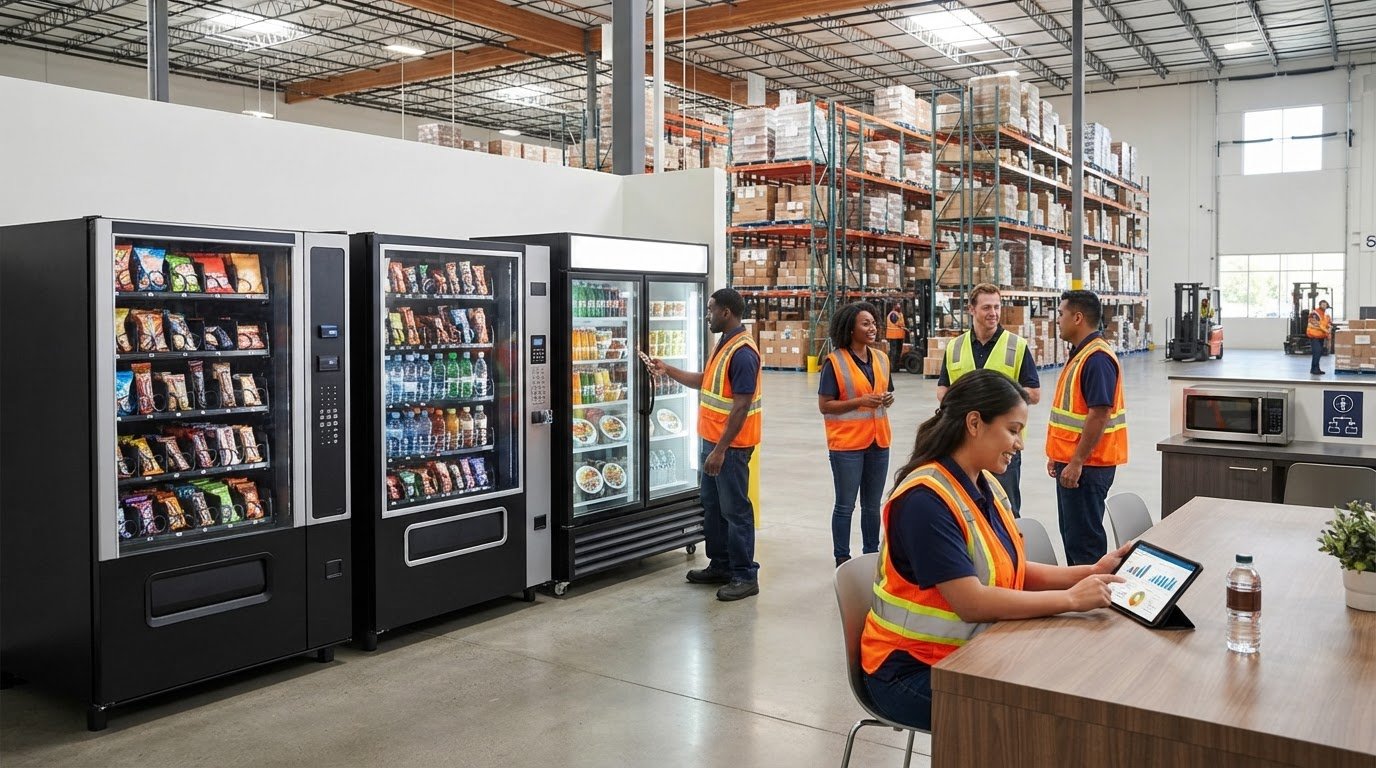
Warehouses: Warehouses have distinct work areas and shift routines. A machine near a shared break area may be more convenient than one near reception. Consider the routes employees already take and the products that suit their breaks. A logistics or distribution hub may also have visitor areas with different needs.
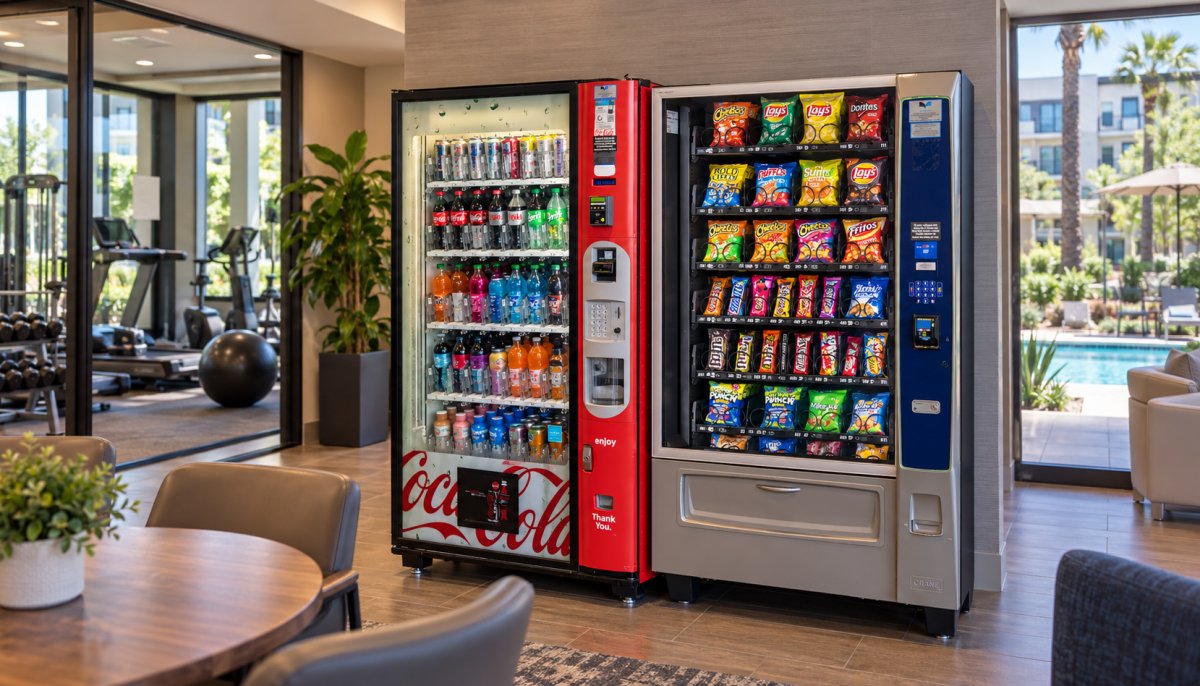
Gyms: Gym members may want drinks or snacks before or after a workout. The product mix should reflect what the facility wants to offer rather than assumptions about every member. Place the machine where members can find it without obstructing workout areas. A separate lobby may suit a different placement from a shared lounge.
Hotels: Hotel guests may look for convenient options in a lobby or another shared area. Make the machine easy to find and use, including for guests unfamiliar with the building. Consider the route from the entrance to the elevators or guest facilities. Hotel vending needs differ from office needs, where users usually know the layout and daily routine.
Hospitals: Hospitals serve employees, patients, and visitors across different areas. Consider who uses each location and whether a machine fits the space. A staff break area and a visitor waiting area serve distinct groups. Keep access and foot traffic in mind so the machine does not obstruct a busy route.
Compare each site using the same practical questions:
- Users: Are they employees, guests, members, patients, or visitors?
- Location: Is the machine near a break room, lobby, or waiting area?
- Products: Would snacks, drinks, or both suit that location?
- Routine: When do people pass the machine, and what area serves them?
If your organization has different facility types, assess each location separately. An office and warehouse may need different machine placements and product mixes. Treating each setting on its own helps create a vending plan that suits the people using it and the way they move through the building.
What maintenance, restocking, and response times do local vending services provide?
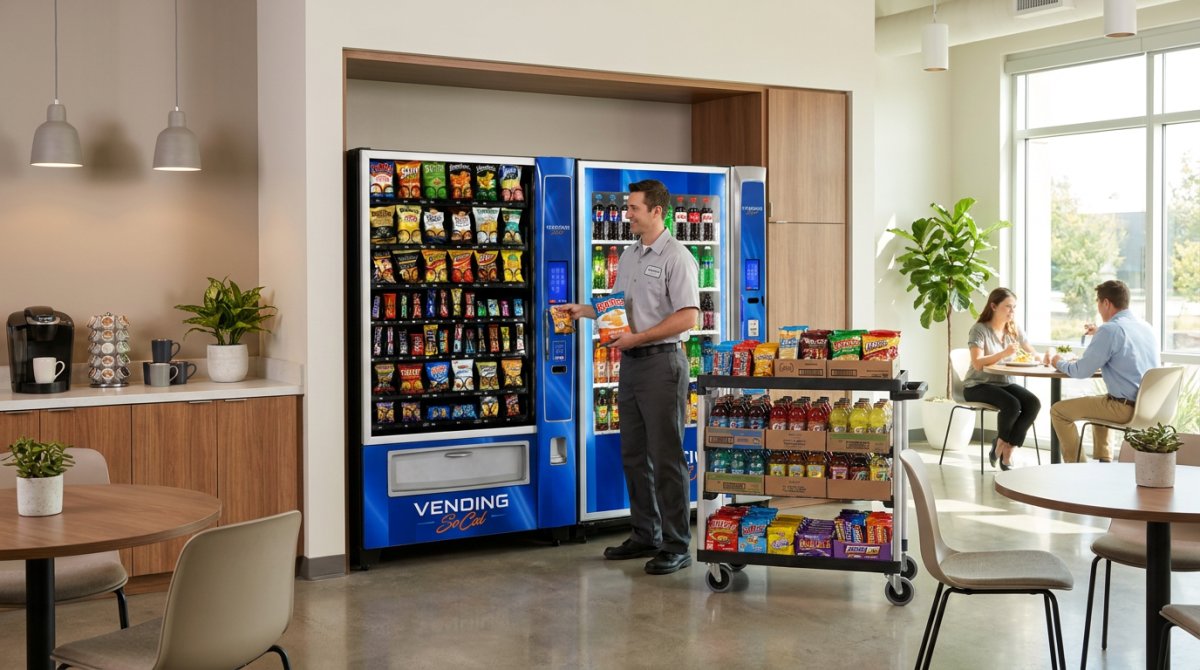
Ongoing service helps keep vending machines stocked and operating. A practical routine covers replenishment, machine condition, and reported problems. An empty drink selection calls for restocking, while a machine that will not dispense needs attention. Clear reporting helps direct each issue to the right next step.
Restocking should reflect what people actually choose. Track empty selections, popular products, and items that remain untouched. If employees regularly find a favorite snack sold out, that pattern can guide future restocking. If another product goes untouched, replacing it may make better use of the available space. A consistent record connects replenishment to workplace demand.
Cleanliness is another visible part of service. Check the machine’s exterior, product area, and surrounding floor for spills or debris. A drink leak near a machine needs attention beyond refilling the beverage row. Report the location and issue so the service team can distinguish a cleaning need from a mechanical problem.
Response time depends on what has happened and how clearly the problem is described. A single stuck product differs from a machine that has stopped operating. Report the machine’s exact location, the affected selection, and what the user observed. For instance, “second-floor break room, snack row won’t release product” gives a service team more useful detail than “machine is broken.”
When reporting an issue, include these details:
- Location: Name the building area, such as the lobby or employee break room.
- Problem: State whether the machine is empty, dirty, unresponsive, or failing to dispense.
- Scope: Note whether one selection or the whole machine is affected.
- Timing: Record when the issue occurred and whether it continues.
Remote monitoring can provide information about machine status and inventory needs, while on-site service addresses replenishment and equipment concerns. A low-stock alert points to a restocking need; a dispensing problem calls for a service report. Keeping these messages distinct helps staff share useful information without trying to diagnose the machine themselves.
A simple log can help workplace managers spot recurring needs. Note the date, machine location, issue, and action taken. If the same selection runs out repeatedly, use that record to inform product planning. If the same fault returns, include the earlier report when describing the problem.
Vending SoCal: Hotel Vending Service
Vending SoCal provides hotel vending service for businesses seeking convenient options in guest spaces. A lobby or shared area can offer snacks and drinks without adding product management to your team’s routine. The service includes machine placement, stocking, and maintenance.
The same managed approach can suit apartment buildings, industrial sites, and schools. Vending SoCal provides apartment, industrial, and school vending services, with snack, drink, and combo machines managed for the setting. Consider where residents or employees can conveniently use a machine, such as a shared lounge or break area.
If your workplace needs vending support, contact Vending SoCal to discuss your location and setup.
Make workplace convenience part of your next facility plan
A vending setup works best when it fits the way people use your space. If you’re renovating, opening a site, or rethinking a shared area, include vending in the facility conversation early. This gives you time to consider where the machine belongs and how it should serve employees, guests, residents, or visitors.
Vending SoCal provides hotel, apartment, and industrial vending services. If vending service in Orange County is part of your plans, start with your location and intended users. A clear starting point helps shape a setup around your property’s needs.
A more convenient shared space can start with a practical conversation. Take the next step when you’re ready.
Frequently Asked Questions
What vending machine services operate in Orange County, California?
Orange County businesses can use managed vending services in workplaces and shared facilities. Vending SoCal provides hotel, apartment, industrial, and school vending services, along with other commercial vending options. A hotel can add vending to a guest area, while an industrial site can serve employees near a break space. The service includes machine placement and ongoing management, not equipment sales or leasing.
Which Orange County cities do vending service providers cover?
Vending SoCal serves Anaheim, Brea, Buena Park, Costa Mesa, Cypress, Fountain Valley, Fullerton, Garden Grove, Huntington Beach, Irvine, La Habra, La Palma, Newport Beach, Orange, Santa Ana, Tustin, Westminster, and Stanton. When requesting vending service in Orange County, include your city and facility type. A hotel in Newport Beach, for instance, serves different users from a warehouse in Brea.
What types of vending machines and products are available?
Vending SoCal provides snack, drink, and combo machines, with product selections tailored to each location. Drinks can include bottled water, soda, sparkling water, iced tea, energy drinks, juice, and protein drinks. Snack options include chips, candy, crackers, nuts, granola bars, and protein bars. Where applicable, smart coolers can hold foods such as yogurt, sandwiches, salads, and cheese snacks. Custom product requests are considered and may be added when feasible.
How much does vending machine installation and service cost in Orange County?
The service includes the machine, delivery, setup, stocking, and maintenance at no upfront cost for qualified locations. Qualification depends on factors such as steady daily traffic, suitable space, access to a standard electrical outlet, and route fit. A busy shared facility with safe indoor placement may be a stronger fit than a low-traffic location without room for users or restocking.
Do Orange County vending companies offer free machines or revenue sharing?
That distinction matters: a managed service covers the machine and its operation, while revenue sharing is a separate type of business arrangement. Don’t assume revenue sharing is part of a no-upfront-cost service. The location’s traffic, space, and route fit determine whether it qualifies for the service.
How do Orange County vending companies compare on reviews and service quality?
Assess service quality by what the service covers and how it fits your facility. Vending SoCal provides professional installation, regular restocking, and maintenance. In a busy workplace where product levels change as shifts rotate, consistent restocking and a clear way to report equipment problems are important. The service supports hotels, apartment communities, schools, and industrial sites.
What should businesses consider when choosing a vending service in Orange County?
Start by considering traffic, placement, power access, and space for users and restocking. Vending SoCal looks for steady daily use, a safe indoor or covered location, a standard outlet, and sufficient clearance. A machine in a narrow staff corridor, for example, may impede movement even if employees nearby want snacks. Match the location and users to the service before planning a setup.
Frequently Asked Questions
Orange County businesses can use managed vending services in workplaces and shared facilities. Vending SoCal provides hotel, apartment, industrial, and school vending services, along with other commercial vending options. A hotel can add vending to a guest area, while an industrial site can serve employees near a break space. The service includes machine placement and ongoing management, not equipment sales or leasing.
Vending SoCal serves Anaheim, Brea, Buena Park, Costa Mesa, Cypress, Fountain Valley, Fullerton, Garden Grove, Huntington Beach, Irvine, La Habra, La Palma, Newport Beach, Orange, Santa Ana, Tustin, Westminster, and Stanton. When requesting vending service in Orange County, include your city and facility type. A hotel in Newport Beach, for instance, serves different users from a warehouse in Brea.
Vending SoCal provides snack, drink, and combo machines, with product selections tailored to each location. Drinks can include bottled water, soda, sparkling water, iced tea, energy drinks, juice, and protein drinks. Snack options include chips, candy, crackers, nuts, granola bars, and protein bars. Where applicable, smart coolers can hold foods such as yogurt, sandwiches, salads, and cheese snacks. Custom product requests are considered and may be added when feasible.
The service includes the machine, delivery, setup, stocking, and maintenance at no upfront cost for qualified locations. Qualification depends on factors such as steady daily traffic, suitable space, access to a standard electrical outlet, and route fit. A busy shared facility with safe indoor placement may be a stronger fit than a low-traffic location without room for users or restocking.
That distinction matters: a managed service covers the machine and its operation, while revenue sharing is a separate type of business arrangement. Don’t assume revenue sharing is part of a no-upfront-cost service. The location’s traffic, space, and route fit determine whether it qualifies for the service.
Assess service quality by what the service covers and how it fits your facility. Vending SoCal provides professional installation, regular restocking, and maintenance. In a busy workplace where product levels change as shifts rotate, consistent restocking and a clear way to report equipment problems are important. The service supports hotels, apartment communities, schools, and industrial sites.
Start by considering traffic, placement, power access, and space for users and restocking. Vending SoCal looks for steady daily use, a safe indoor or covered location, a standard outlet, and sufficient clearance. A machine in a narrow staff corridor, for example, may impede movement even if employees nearby want snacks. Match the location and users to the service before planning a setup.